
Think Before You Click!
Tips for how to avoid online phishing scams
For Richard Biever, protecting data is personal.
Biever, Duke University's chief information security officer, was the victim of identity theft 14 years ago and still recalls the sinking feeling when he realized the damage done by the person who'd stolen his personal information.
"If you've ever received a letter or email telling you that your financial information may be at risk due to a mistake on the part of a bank or company like Zappos or Sony Entertainment, you know it's a horrible feeling," Biever said. "That experience was the main reason I went into information security."
Each week, Biever and his staff in Duke's IT Security Office work to protect Duke's data - and they need your help. Duke users have been targeted by four phishing attacks since December. Between 10 and 50 accounts of Duke staff, faculty and students were compromised in each of the four attacks.
"Attackers are getting better organized and equipped," Biever said. "When your account is compromised, and an attacker uses your email account to resend spam, it not only impacts your account and reputation, but also the Duke network and the productivity of everyone else on that network."
Here are four tips Biever recommends to protect your own information - and Duke's data:
Think before you click the link!
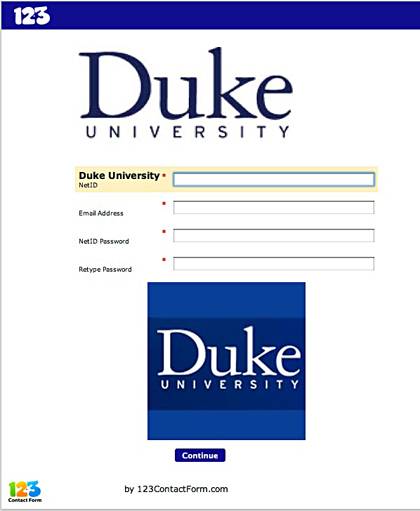
Phishing attacks use "spoofed" emails and fraudulent websites designed to fool recipients into divulging personal data such as account usernames and passwords. The links in the messages could also try to install malware on your computer or steal your Duke credentials.
Duke's Office of Information Technology (OIT) and the Duke IT Security Office (ITSO) have seen a significant increase in the sophistication of email scams coming through campus email systems. (Check the IT Security website for examples of recent scams.)
"Hackers are getting more creative in crafting these messages, and they target users who they think are most likely to have access to valuable information," Biever said.
Remember: Duke (and all valid companies or organizations) will never ask for your password or account information in an email.
Help identify suspicious messages.
While OIT's anti-spam filters catch a large percentage of these messages, some may continue to show up in your inbox. If you get an email message that looks to be a scam, please visit the Sophos site for instructions on how to upload the message. Doing so means that Duke's anti-spam appliances have better information on what to mark as spam or scam.
Forward any suspicious emails with full headers to the OIT Service Desk. The OIT website has instructions for revealing full headers for most common email programs.
Set up email filters.
Filters can be set up to send spam/phishing messages to a "junk mail" folder. Instructions are available online for DukeMail and Exchange accounts.
Stay up-to-date on the latest IT security risks.
Duke's IT Security Office website posts security alerts and includes a blog by Biever, "Protect Yourself." Find out more about avoiding phishing scams on the Anti-Phishing Working Group site.